Effect Configuration
Configure effect control and timing.
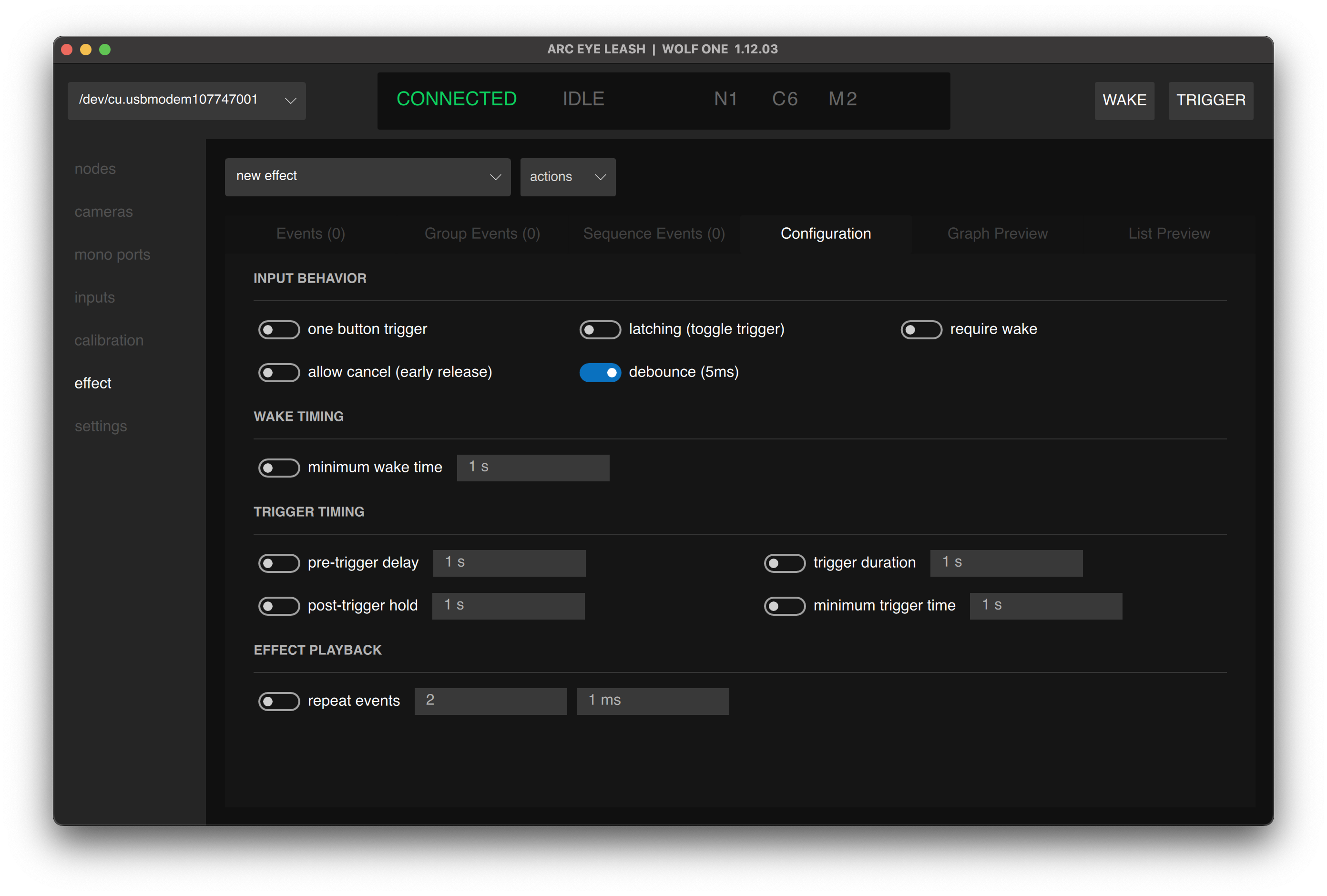
Input Behavior
Control how the Wake and Trigger buttons interact with effect execution.
| Option | Description |
|---|---|
| One Button Trigger | Automatically wakes cameras when trigger is pressed. Useful for cameras that require both AF and Shutter to be shorted together |
| Latching | Toggle mode - press trigger to start effect, press again to stop. No need to hold the button |
| Require Wake | Trigger button is disabled until Wake is pressed first. Prevents camera misfiring |
| Allow Cancel | Release trigger early to cancel a running effect. When disabled, effects always run to completion regardless of button state |
| Debounce | Disable for faster response with electronic triggers (robot arms, optocouplers) |
Wake Timing
Control the timing of the Wake (AF) signal.
| Option | Description |
|---|---|
| Minimum Wake Time | Ensures cameras have time to focus before trigger events execute. Set the minimum duration Wake must be active before the effect starts. |
Trigger Timing
Fine-tune when and how long trigger events execute.
| Option | Description |
|---|---|
| Pre-Trigger Delay | Delay after trigger button press before events execute. Useful for settling time or countdown. |
| Trigger Duration | Forces all outputs to release after this time. Acts like a bulb timer - outputs freeze then release when timer ends. |
| Post-Trigger Hold | After trigger button is released, hold outputs for this duration before releasing. Different from Trigger Duration since it waits for button release first. |
| Minimum Trigger Time | Ensures trigger signal is held for at least this duration before releasing, regardless of button timing. |
Effect Playback
Control how effects execute over time.
| Option | Description |
|---|---|
| Repeat Events | Loop the effect continuously until cancelled. Useful for continuous capture sequences. |
:::tip Repeat Events For effects to repeat correctly, ensure each output has a corresponding OFF instruction before the loop restarts. Without an OFF instruction, outputs remain held and won't re-trigger on the next loop. :::
Common Configurations
note
Press Enter/Return to confirm timing values after typing.
Standard Photography
| Parameter | Value |
|---|---|
| Effect | unison (protected) |
| One Button Trigger | ON |
| Debounce | ON |
| Minimum Wake Time | 250ms |
| Post-Trigger Hold | 10ms |
Bulb / Light Painting
| Parameter | Value |
|---|---|
| Effect | unison (protected) |
| One Button Trigger | ON |
| Latching (toggle trigger) | ON |
| Debounce | ON |
| Minimum Wake Time | 250ms |
| Trigger Duration | Set to desired exposure time |
Burst Capture
| Parameter | Value |
|---|---|
| Effect | unison (protected) |
| One Button Trigger | ON |
| Debounce | ON |
| Minimum Wake Time | 250ms |
| Trigger Duration | Set to desired burst duration |
Next Step
Having issues? See Troubleshooting