Complex Event Programming
Use spreadsheet software to create and edit large effects with many events or complex patterns.
Overview
For effects with dozens or hundreds of events, the Leash app supports copy/paste with spreadsheet applications like Google Sheets, Excel, or Numbers. This lets you:
- Edit events in bulk
- Use formulas to calculate timing
- Copy/Paste effect data
- Create complex patterns programmatically
Trying to move an effect to another WOLF ONE or share an effect with someone else? Try Effect Import/Export →
Trying to backup your entire WOLF ONE configuration? Try WOLF Backup/Restore →
Export Events to Spreadsheet
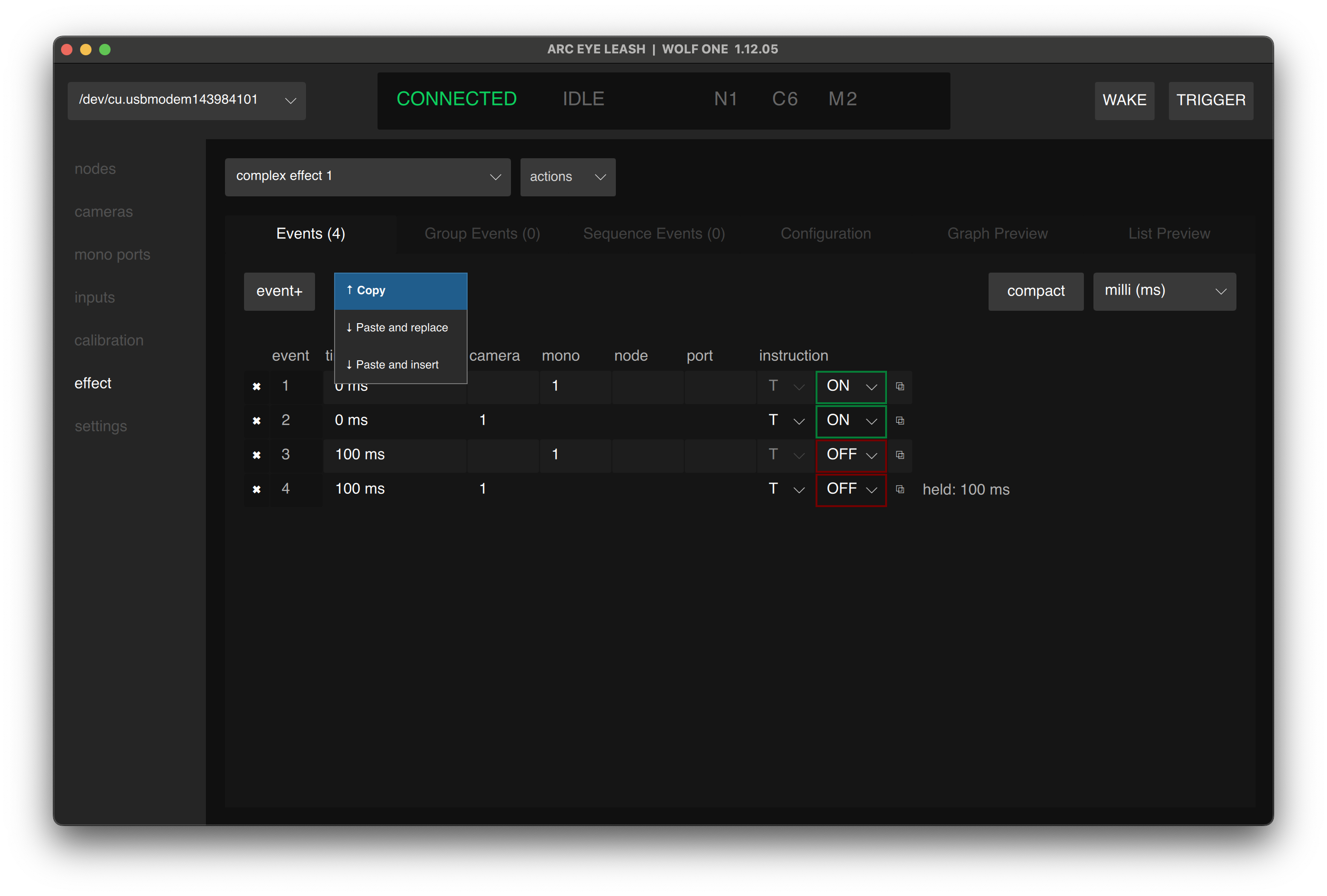
- Navigate to the Events tab in Leash
- Click clipboard>copy to copy all events to your clipboard
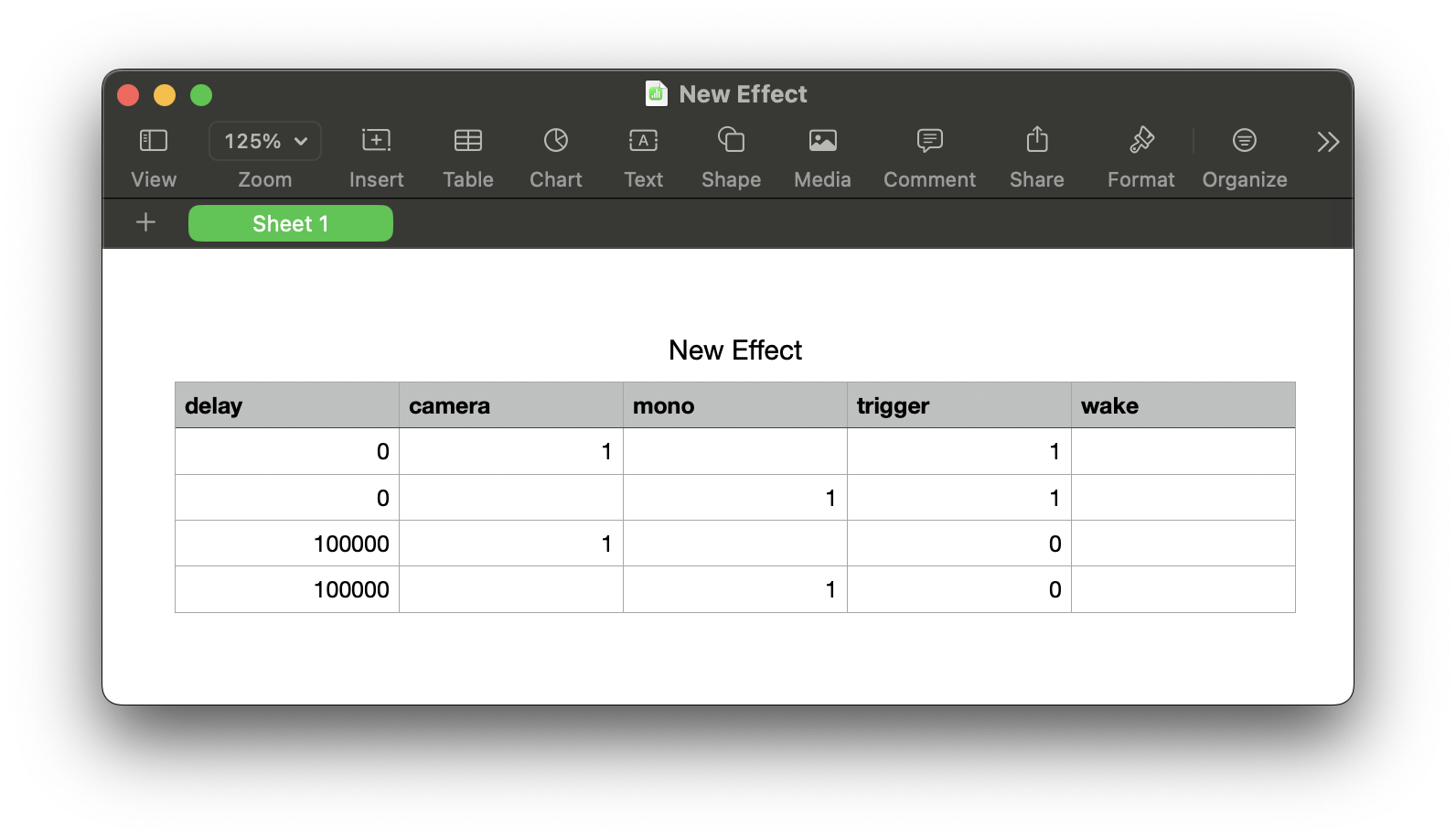
- Paste into a spreadsheet application
The data exports as tab-separated values (TSV) with headers.
Edit Standard Events in Spreadsheet
Edit the event data in your spreadsheet:
| Column | Description |
|---|---|
| delay | Event time in microseconds |
| camera | Camera number (leave empty if using node.port or mono) |
| mono | Mono number (leave empty if using node.port or camera) |
| node | Node number (use with port) |
| port | Port number on node |
| trigger | ON, OFF (leave empy if using wake) |
| wake | ON, OFF (leave empy if using trigger) |
- Leash automatically reorders events by time when imported
- Leave camera empty when targeting node.port
- Leave node/port empty when targeting camera/mono
Import Events from Spreadsheet
- Select all event data including headers
- Copy from the spreadsheet
- Click clipboard>paste and replace on the Events page in Leash
- Click Save
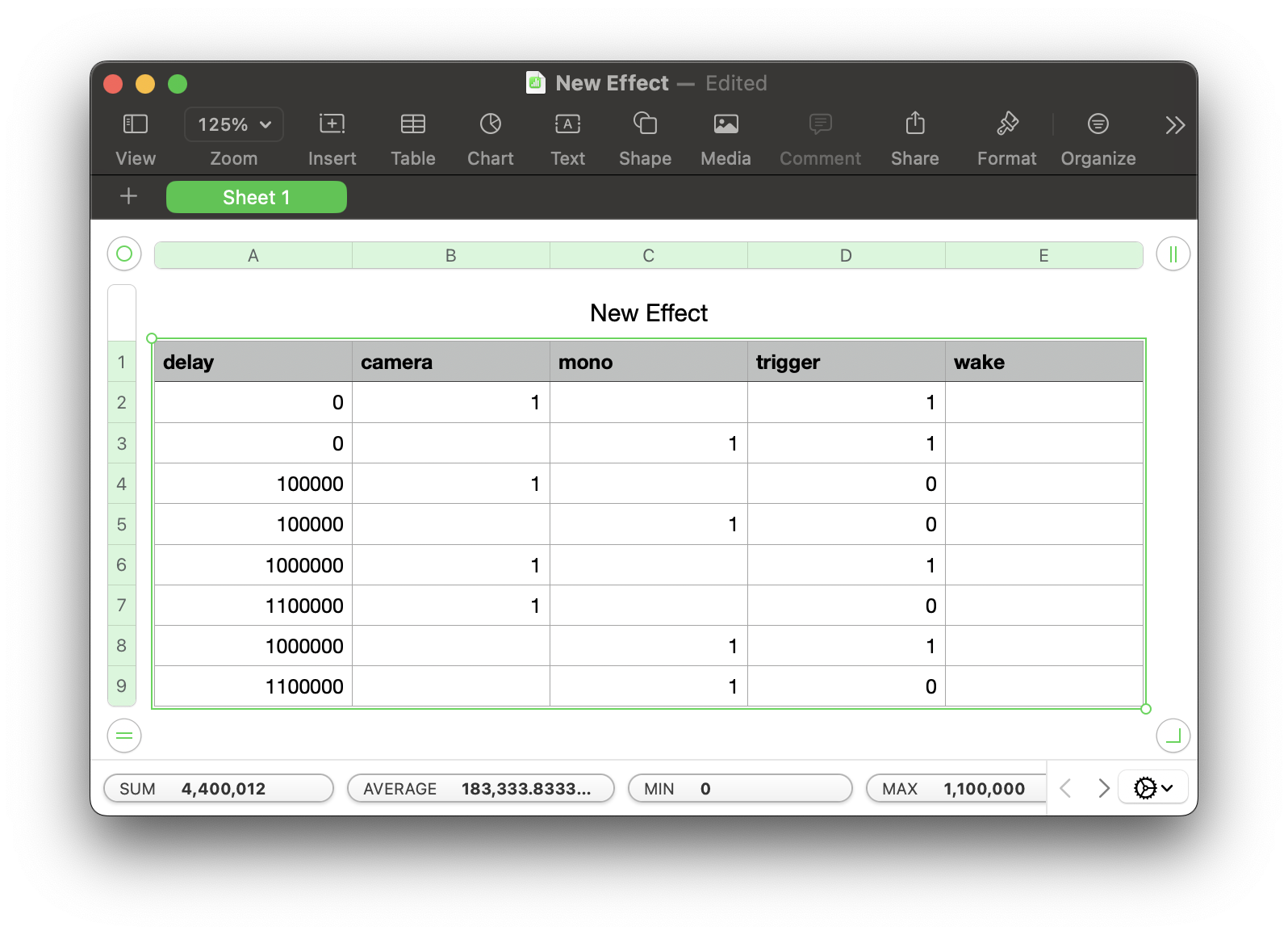
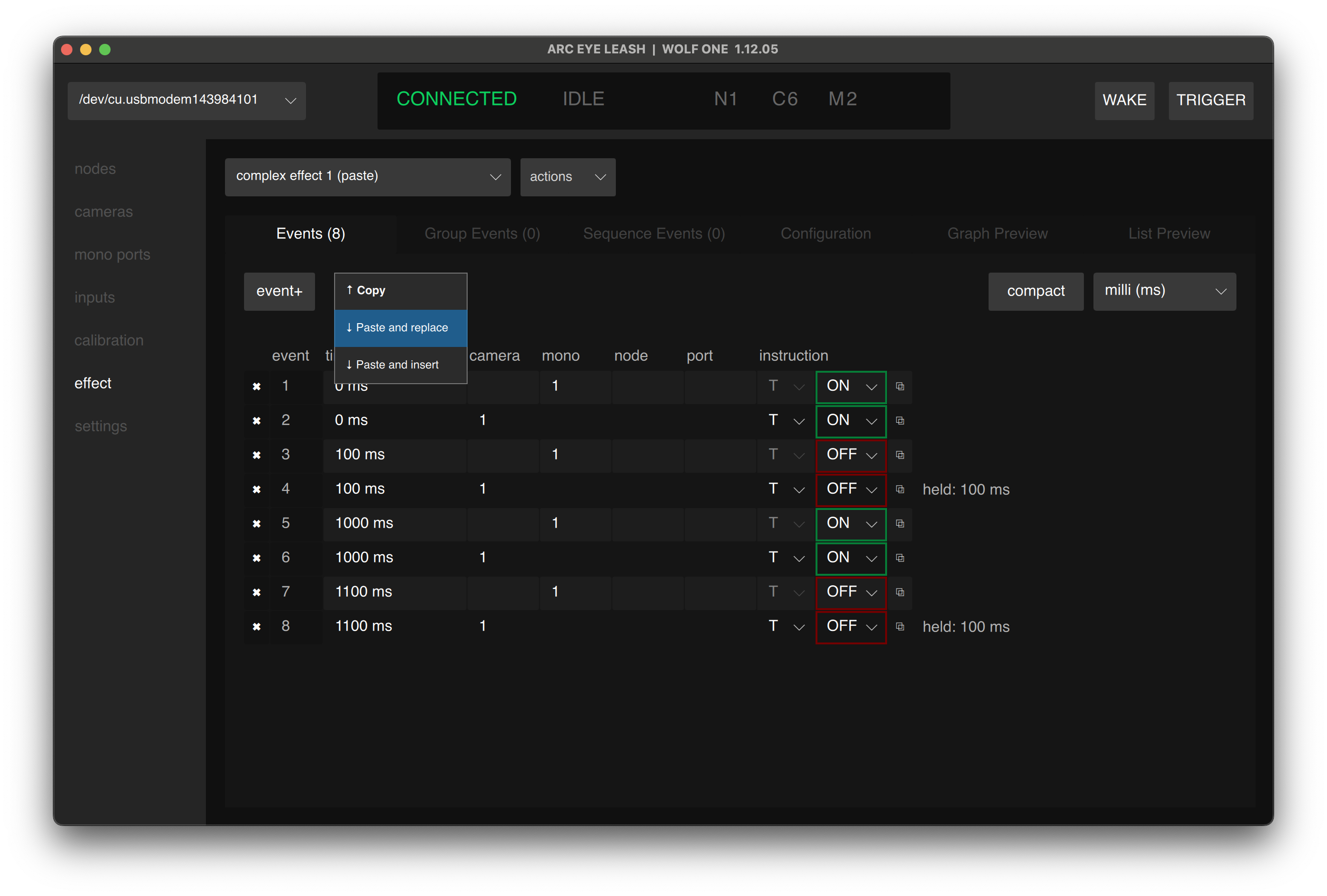
Choose paste and insert to add new spreadsheet events to existing effect events.
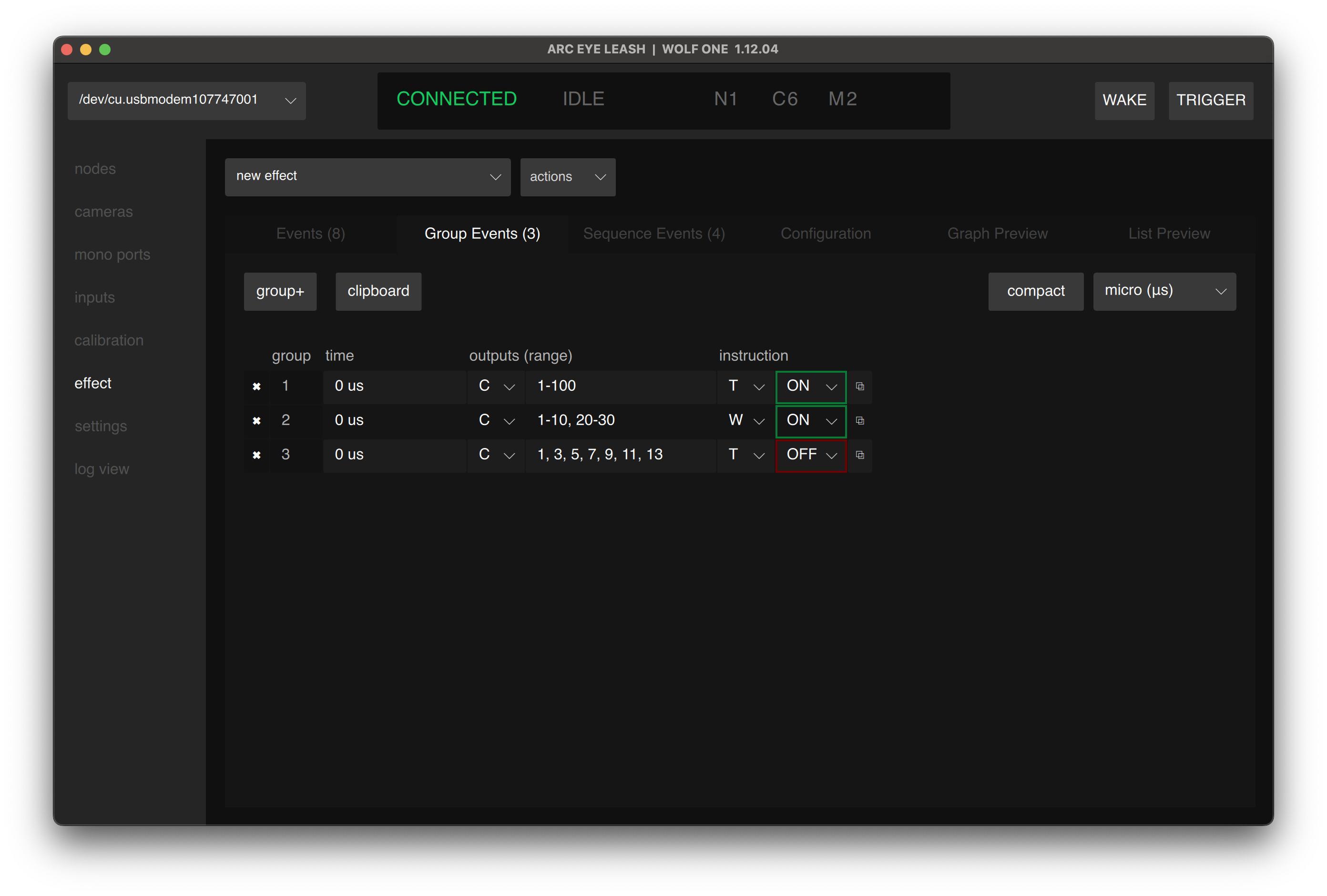
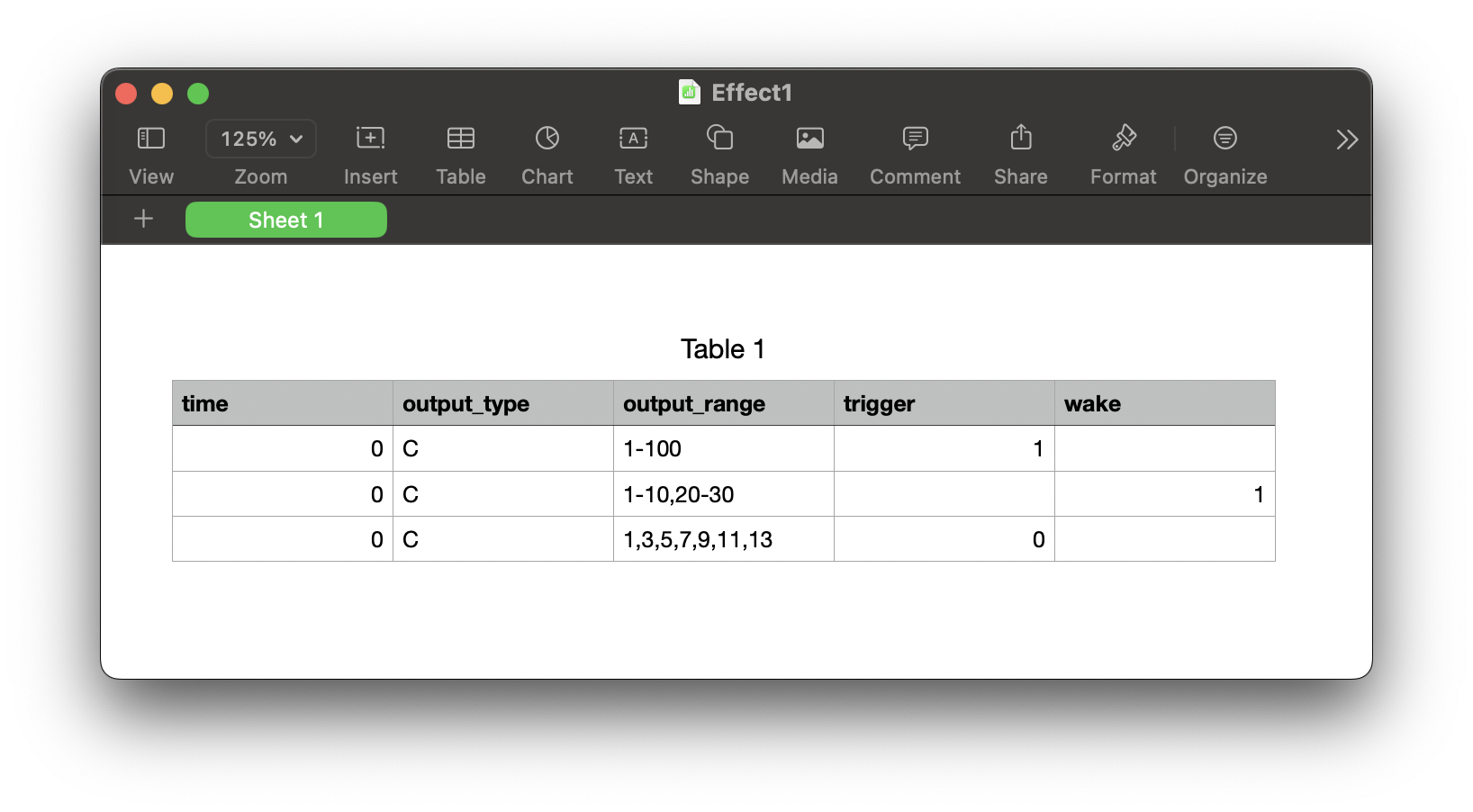
Edit Group or Sequence Events in Spreadsheet:
Group event format:
| Column | Description | Example |
|---|---|---|
| delay | Event time in microseconds | 1000000 |
| output_type | camera, mono | C, M |
| output_range | range, split range, comma separated | (1-100) (1-10,20-40) (1,3,5,7,9) |
| trigger | ON, OFF | 1, 0 |
| wake | ON, OFF | 1, 0 |
Sequence event format:
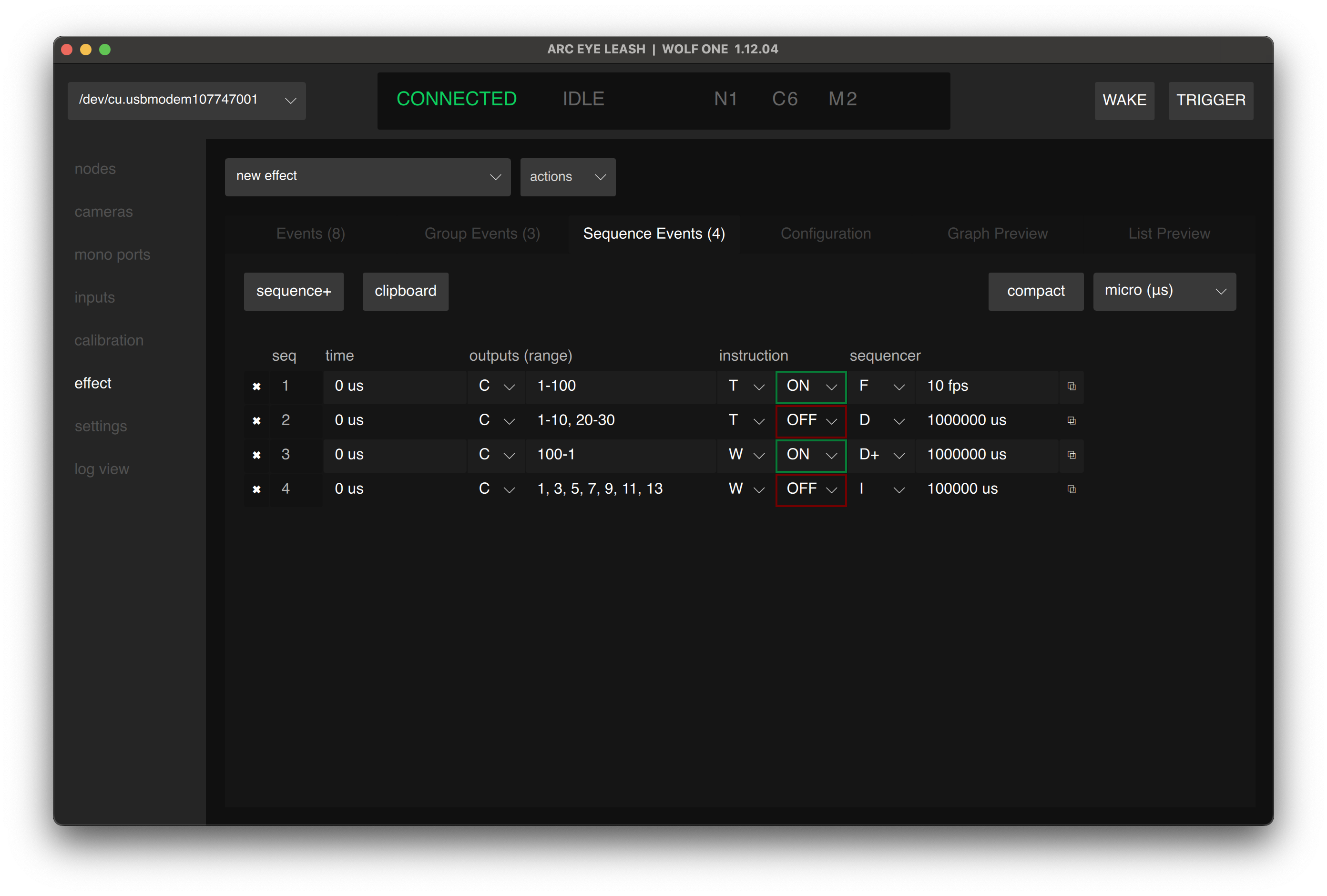
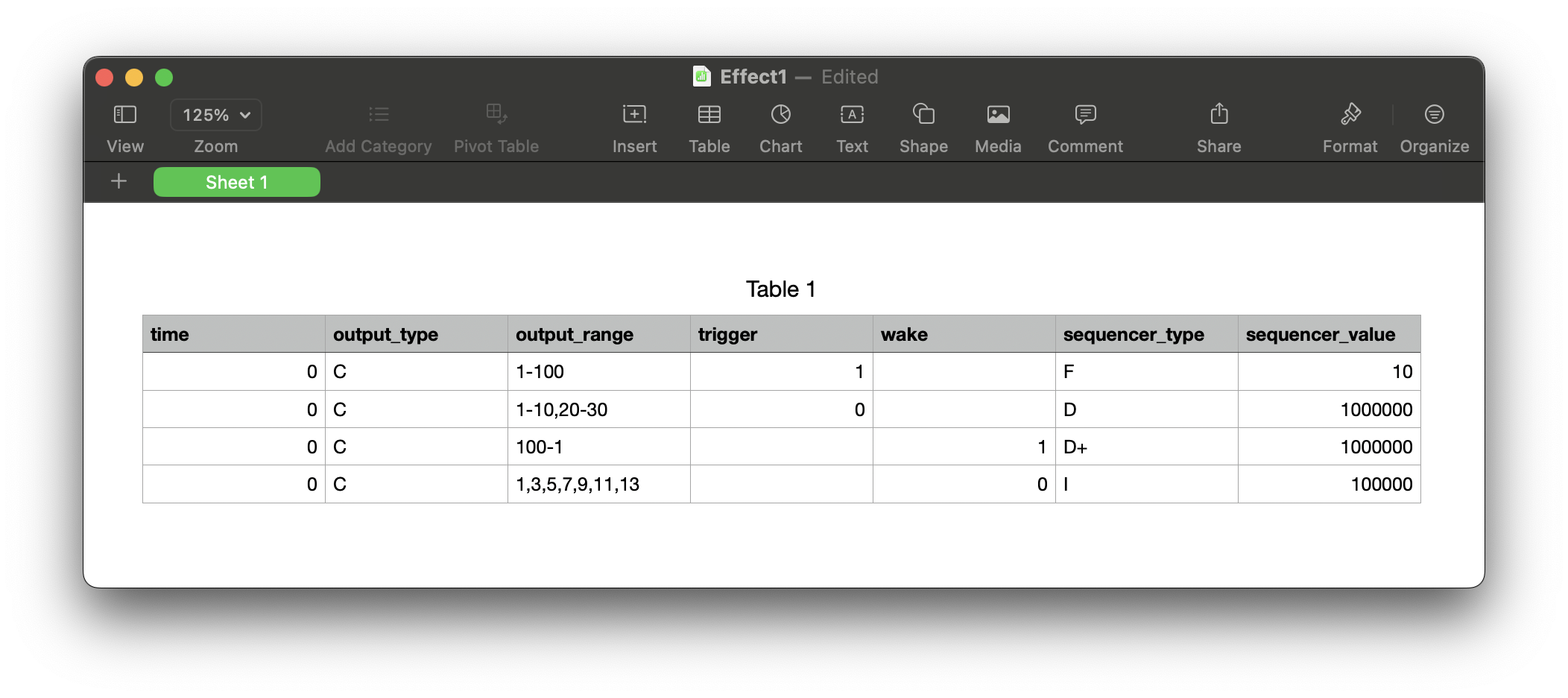
| Column | Description | Example |
|---|---|---|
| delay | Event time in microseconds | 1000000 |
| output_type | camera, mono | C, M |
| output_range | range, split range, comma separated, reversed | (1-100) (1-10,20-40) (1,3,5,7,9) (100-1) |
| trigger | ON, OFF | 1, 0 |
| wake | ON, OFF | 1, 0 |
| sequencer_type | interval, fps, duration, duration fit | I, F, D, D+ |
| sequencer_value | time, fps, or speed ramped range | 1000000, 30, 30-120 (1sec, 30fps, 30fps-120fps) |
- Leash automatically reorders events by time when imported
- Leave camera empty when targeting node.port
- Leave node/port empty when targeting camera/mono
Example: Bullet Time Sequence
Create a 24-camera bullet time effect with 10ms spacing:
| delay | camera | trigger |
|---|---|---|
| 0 | 1 | ON |
| 10000 | 2 | ON |
| 20000 | 3 | ON |
| 30000 | 4 | ON |
| ... | ... | ... |
| 230000 | 24 | ON |
Use a spreadsheet formula like =A2+10000 to auto-calculate timing.
Example: Strobe Sync Events
Add matching strobe events using node.port for each camera trigger:
| delay | camera | node | port | trigger |
|---|---|---|---|---|
| 0 | 1 | ON | ||
| 0 | 1 | 7 | ON | |
| 100000 | 1 | OFF | ||
| 100000 | 1 | 7 | OFF | |
| 1000000 | 1 | ON | ||
| 1000000 | 1 | 7 | ON |
Tips
- Time values are always in microseconds in the export
- Empty cells are valid - leave camera empty when using node.port
- Headers required - include the header row when pasting
- Validation - Leash validates data on paste and shows errors for invalid entries
Having issues? See Troubleshooting