Group Events
Group events trigger multiple cameras together in unison. Use them to quickly create synchronized multi-camera triggers without adding individual events for each port.
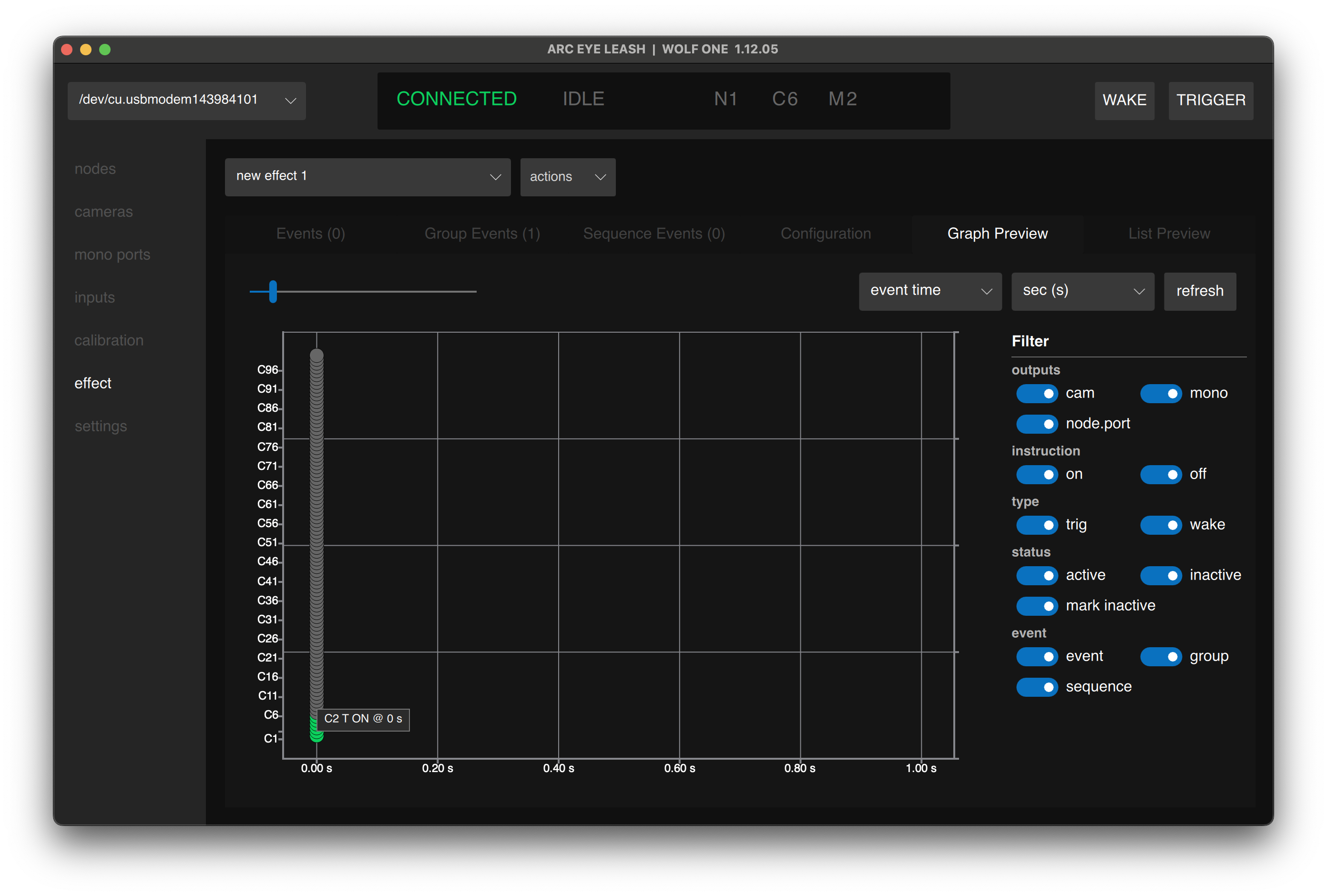
Use the preview page filters to isolate standard events from group and sequence events.
Creating a Group Event
- Navigate to the Group Events tab
- Click group+ to add a new group event
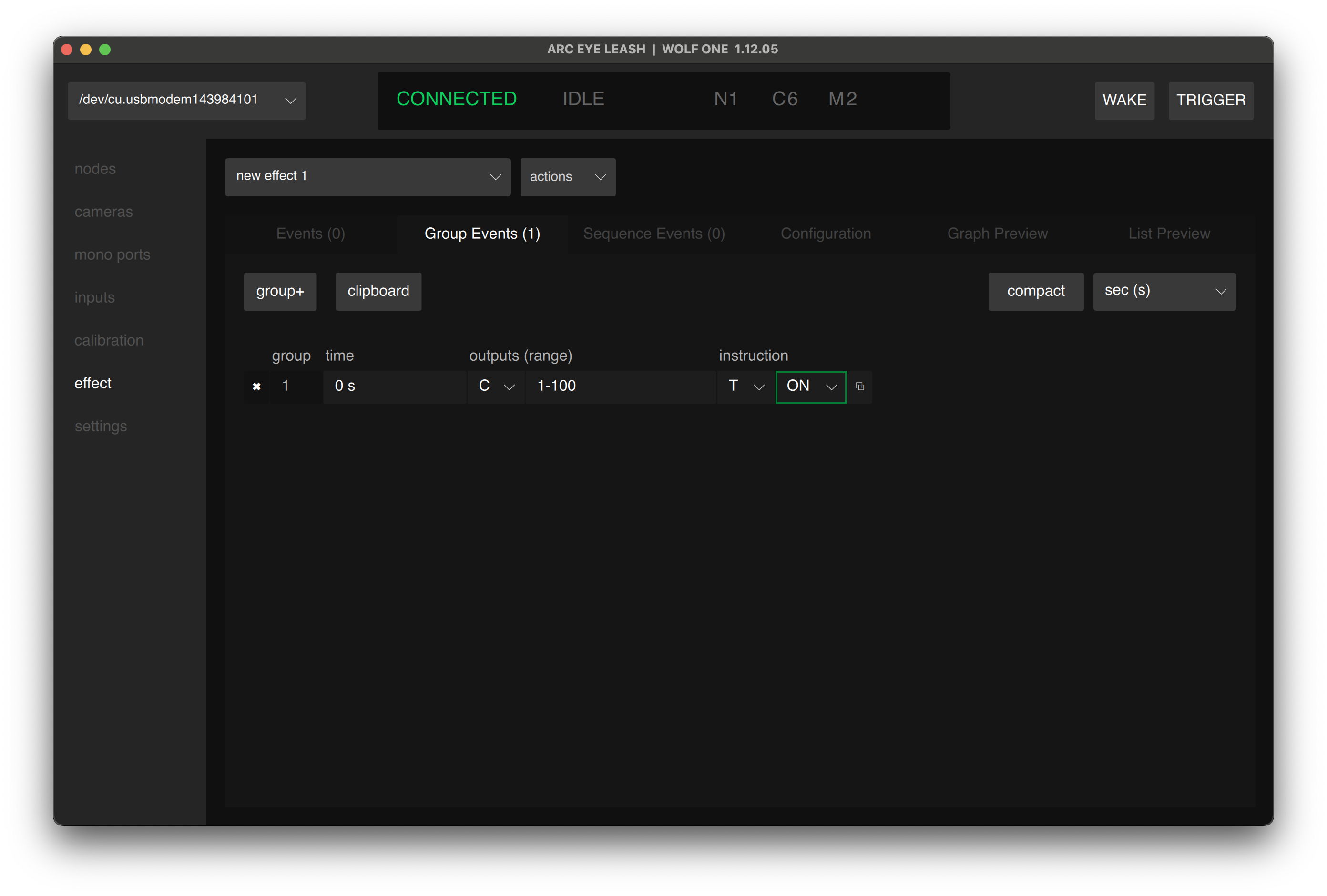
- Enter the following values to trigger 100 cameras together:
| Time | Outputs | (Range) | Instruction Type | Instruction |
|---|---|---|---|---|
| 0 | CAMERAS | 1-100 | TRIG | ON |
- Click Save
Split Groups
Lets say that we have 40 cameras on our rig that we want to exclude from an effect. We can leave them connected and easily exclude them from the trigger event all together.
- Change the group event to 1-10, 50-100 to skip cameras 11-49:
| Time | Outputs | (Range) | Instruction Type | Instruction |
|---|---|---|---|---|
| 1s | CAMERAS | 0-10, 50-100 | TRIG | ON |
- Click Save
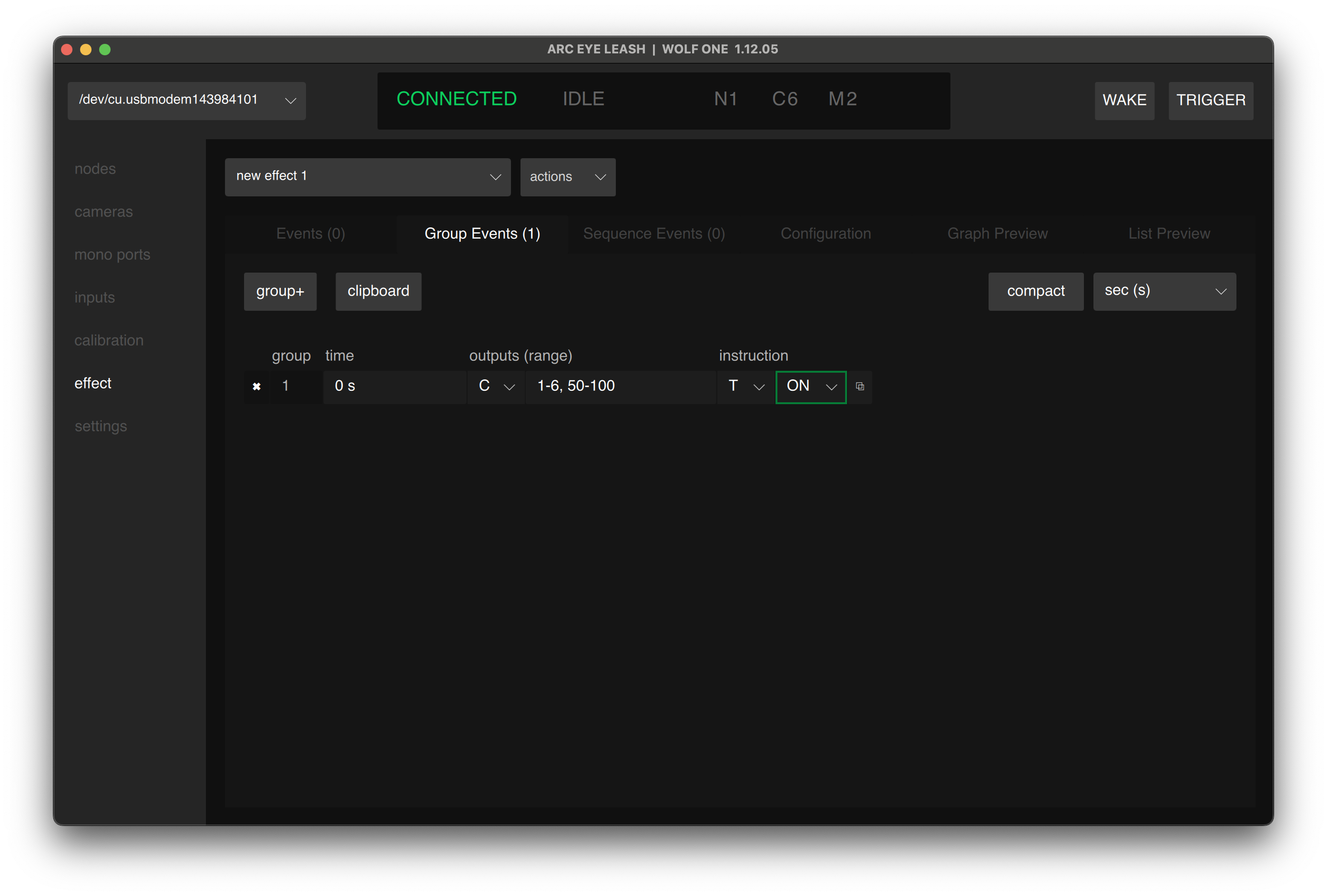
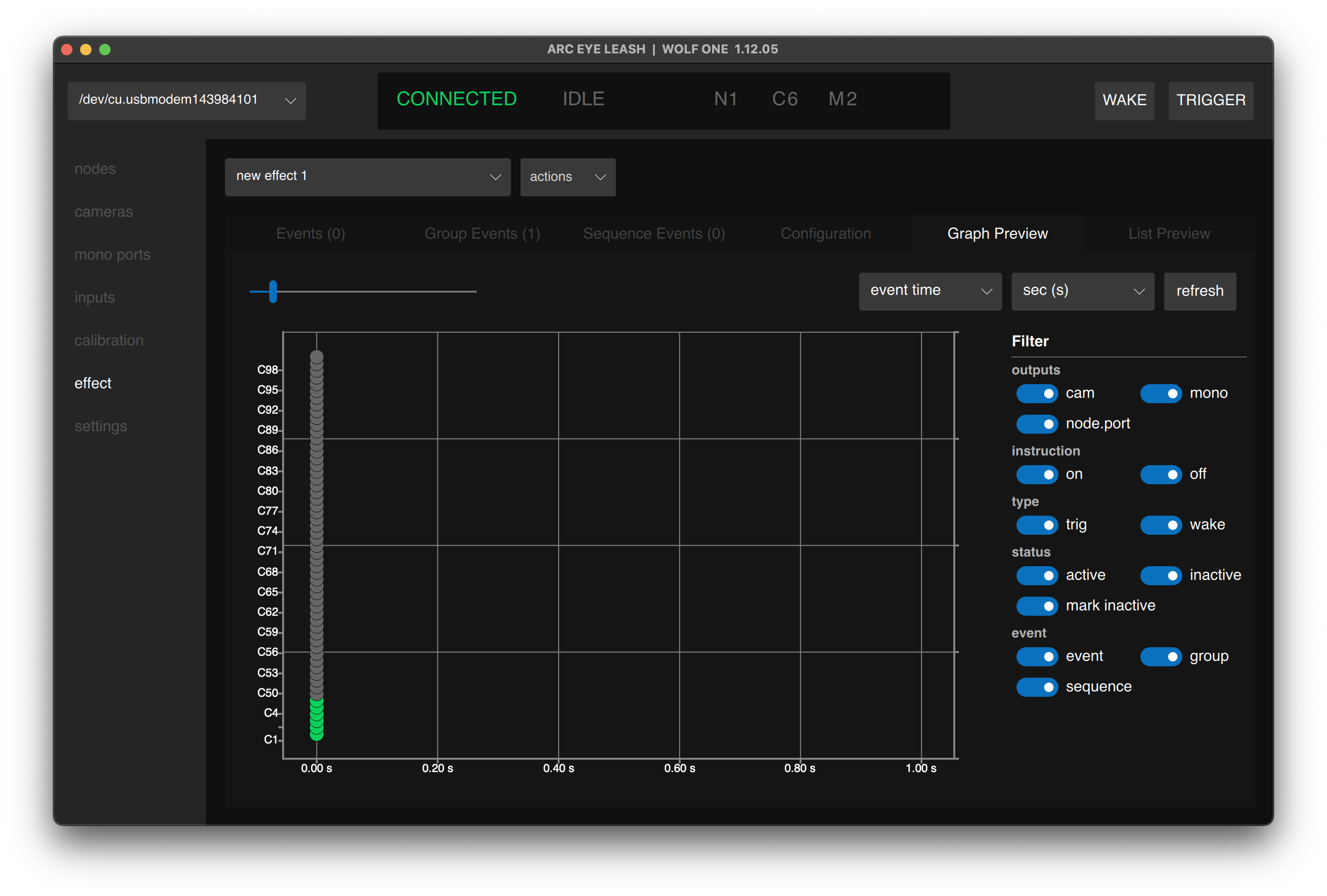
Group events support multiple split ranges as well as single cameras separated by commas. For example 1-10, 20, 90-100 triggers 21 cameras in total.
Group Event Settings
| Setting | Description |
|---|---|
| Time | When the group triggers (all ports fire at this time) |
| Output | Camera type (C), Mono type (M) |
| Range | Port range to trigger (e.g., 1-100 or 1-10,50-100) |
| Instruction Type | T (trigger) or W (wake) |
| Instruction | ON or OFF |
Cameras support Wake (AF) and Trigger (Release) instructions. Mono ports support Trigger instructions.
Range Formats
Ranges support multiple formats:
| Format | Example | Result |
|---|---|---|
| Range | 1-100 | Ports 1 through 100 |
| List | 1,3,5,7,9 | Specific ports |
| Mixed | 1-5,10-20 | Ports 1-5 and 10-20 |
Example: Trigger All Cameras
| Time | Output | (Range) | Instruction Type | Instruction |
|---|---|---|---|---|
| 0 | C | 1-100 | T | ON |
| 100ms | C | 1-100 | T | OFF |
Triggers cameras 1-100 at time 0 for 100ms (pulse duration).
Tips
- Node.port is not supported in group events - use port numbers only
- Duplicate a group event and offset the time to create release events
- Overlapping events merge automatically
- Combine group events with standard events and sequence events freely
Next Step
Having issues? See Troubleshooting