Sequence Events
Sequence events trigger cameras in order with interval timing. Use them to create bullet-time sweeps and sequential effects without manually calculating individual event times.
Creating a Sequence Event
- Navigate to the Sequence Events tab
- Click sequence+ to add a new sequence event
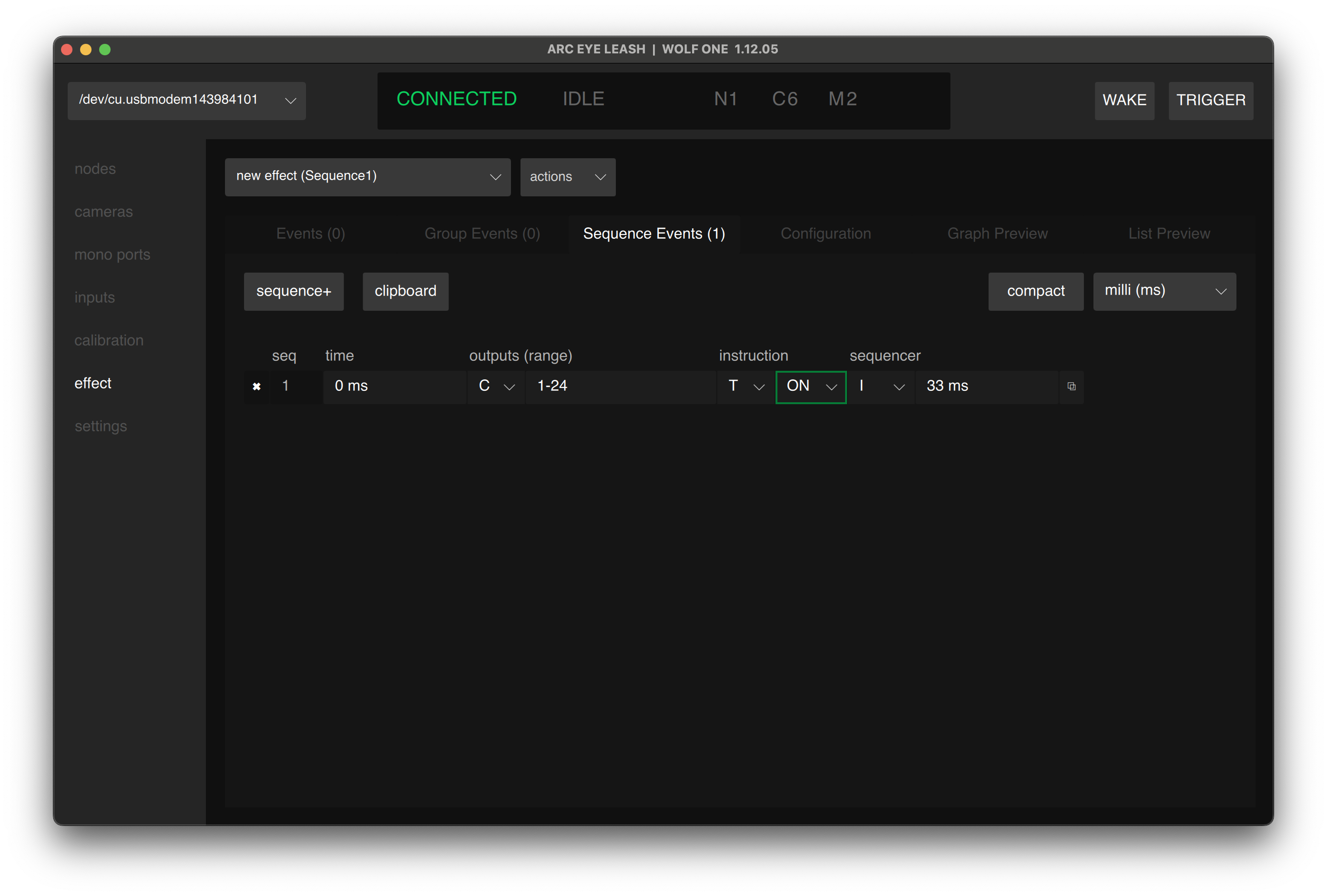
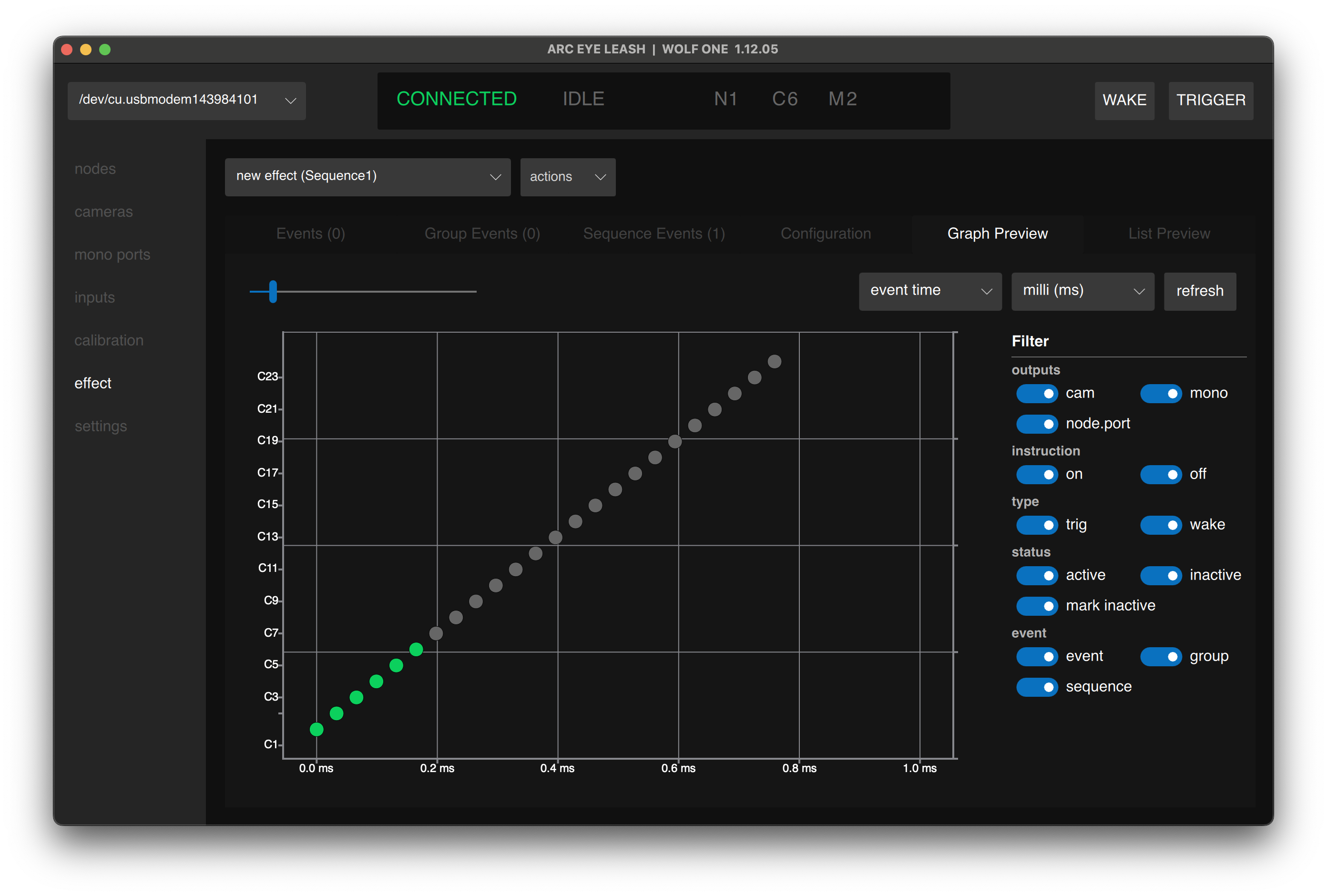
- Enter the following values to sweep across 24 cameras in ~1 second:
| Time | Outputs | (Range) | Instruction Type | Instruction | Sequence Type | Sequence Value |
|---|---|---|---|---|---|---|
| 0 | CAMERAS | 1-24 | TRIG | ON | INTERVAL | 33ms |
- Click Save
Reverse Direction
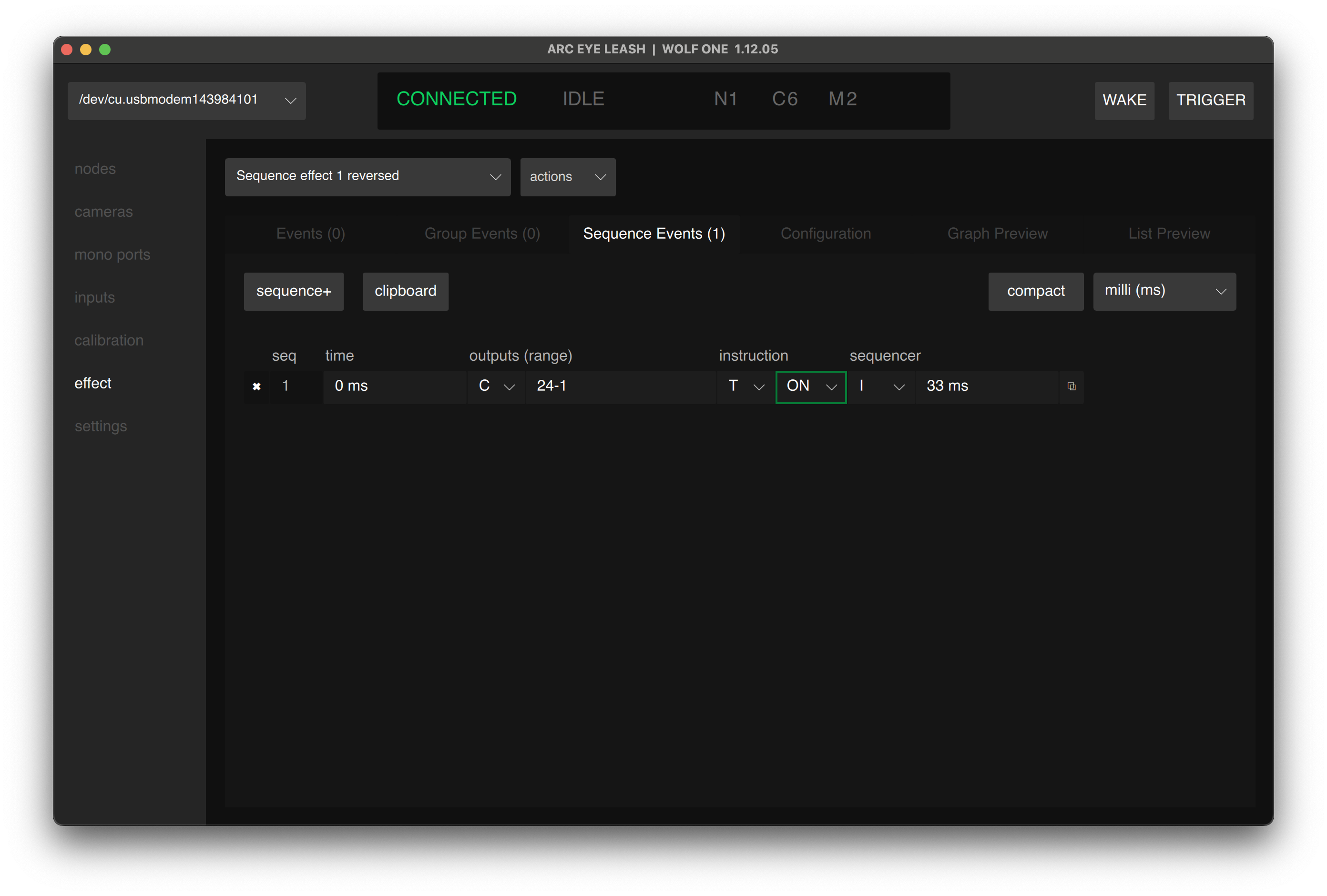
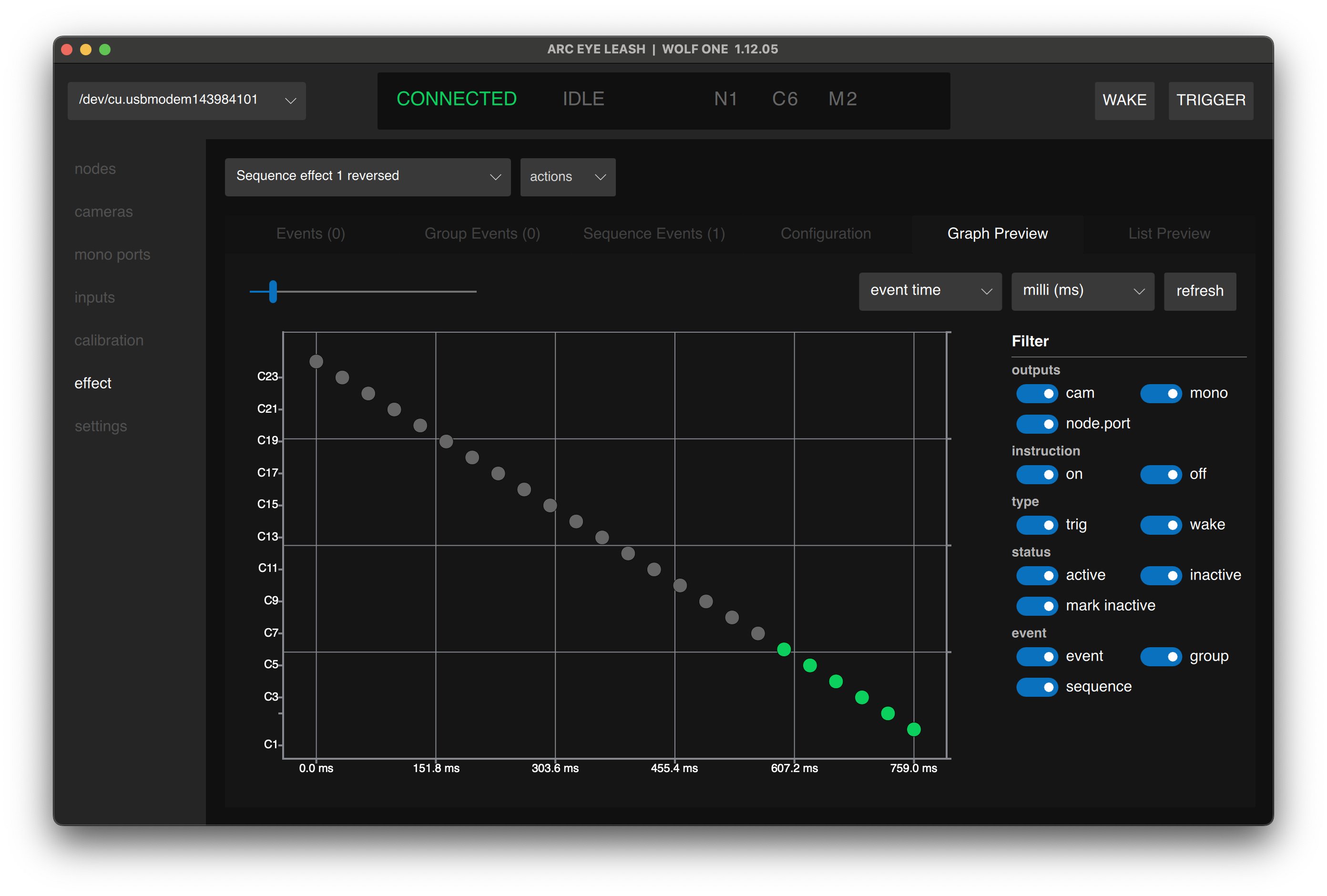
- Enter the following values to sweep across 24 cameras in reverse order:
| Time | Outputs | (Range) | Instruction Type | Instruction | Sequence Type | Sequence Value |
|---|---|---|---|---|---|---|
| 0 | CAMERAS | 24-1 | TRIG | ON | INTERVAL | 33ms |
- Click Save
FPS
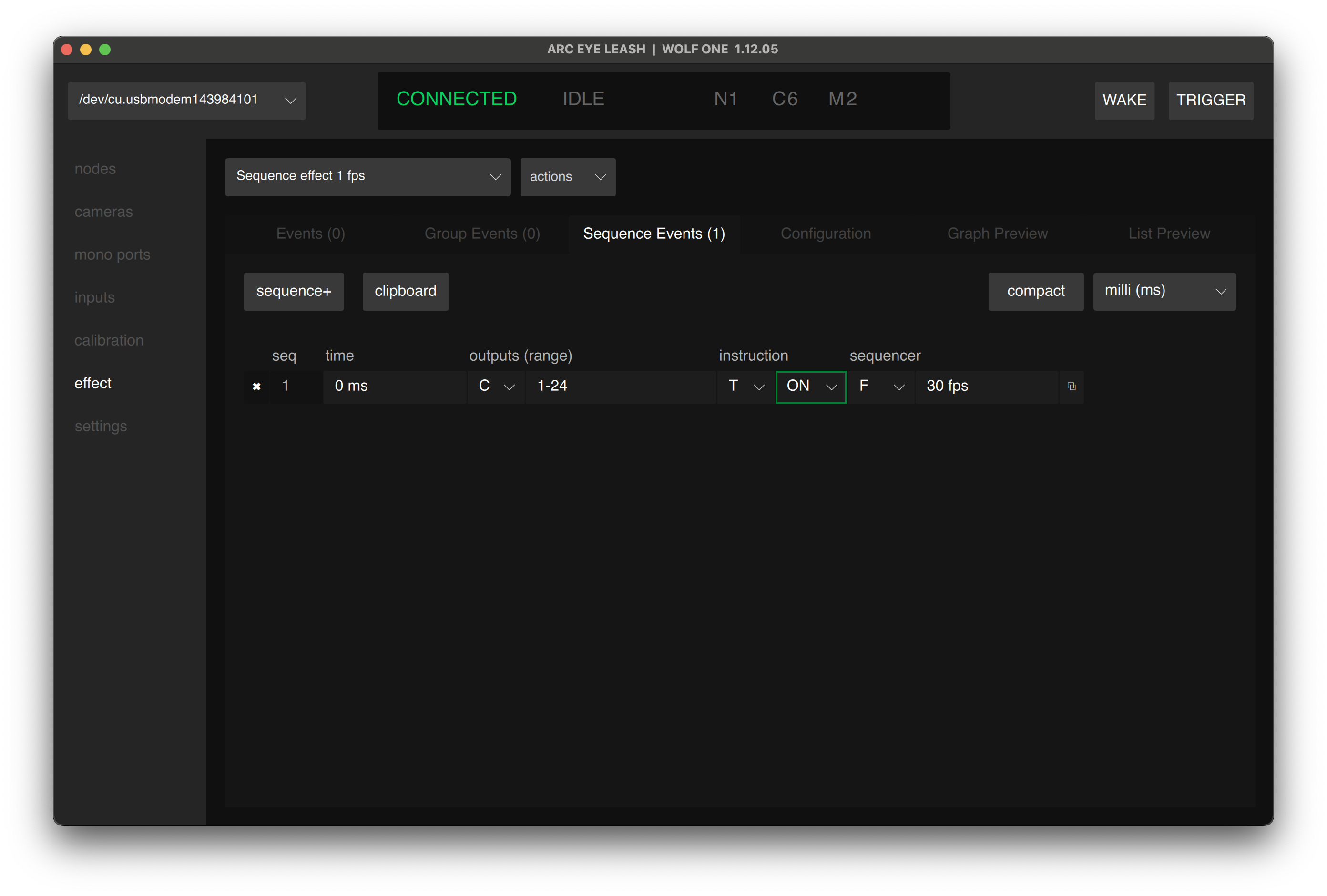
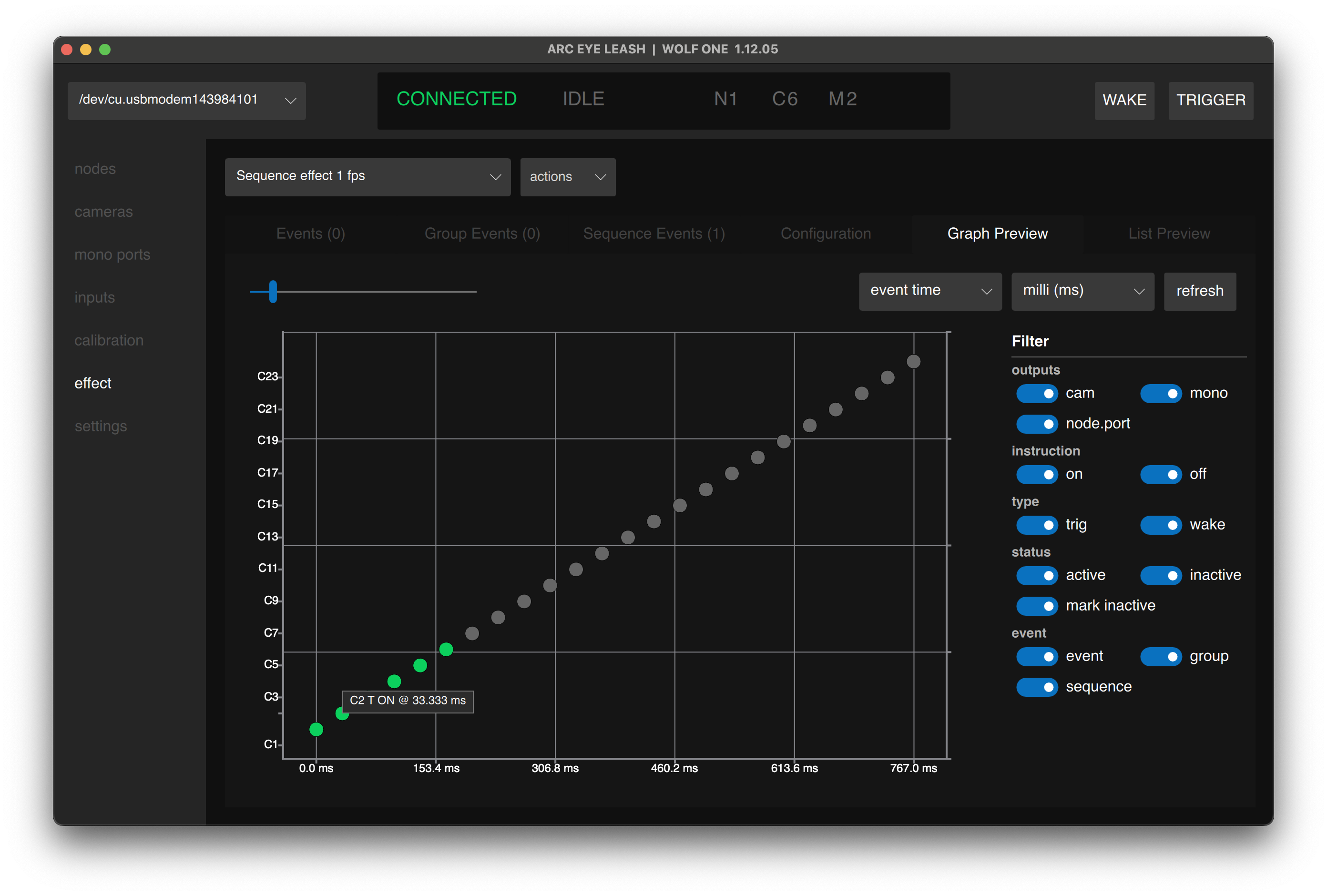
- Enter the following values to sweep across 24 cameras at 30fps
| Time | Outputs | (Range) | Instruction Type | Instruction | Sequence Type | Sequence Value |
|---|---|---|---|---|---|---|
| 0 | CAMERAS | 1-24 | TRIG | ON | FPS | 30fps |
- Click Save
fps sequences can be more precise than interval timing, for instance 30fps is really 33.333ms
Speed Ramp
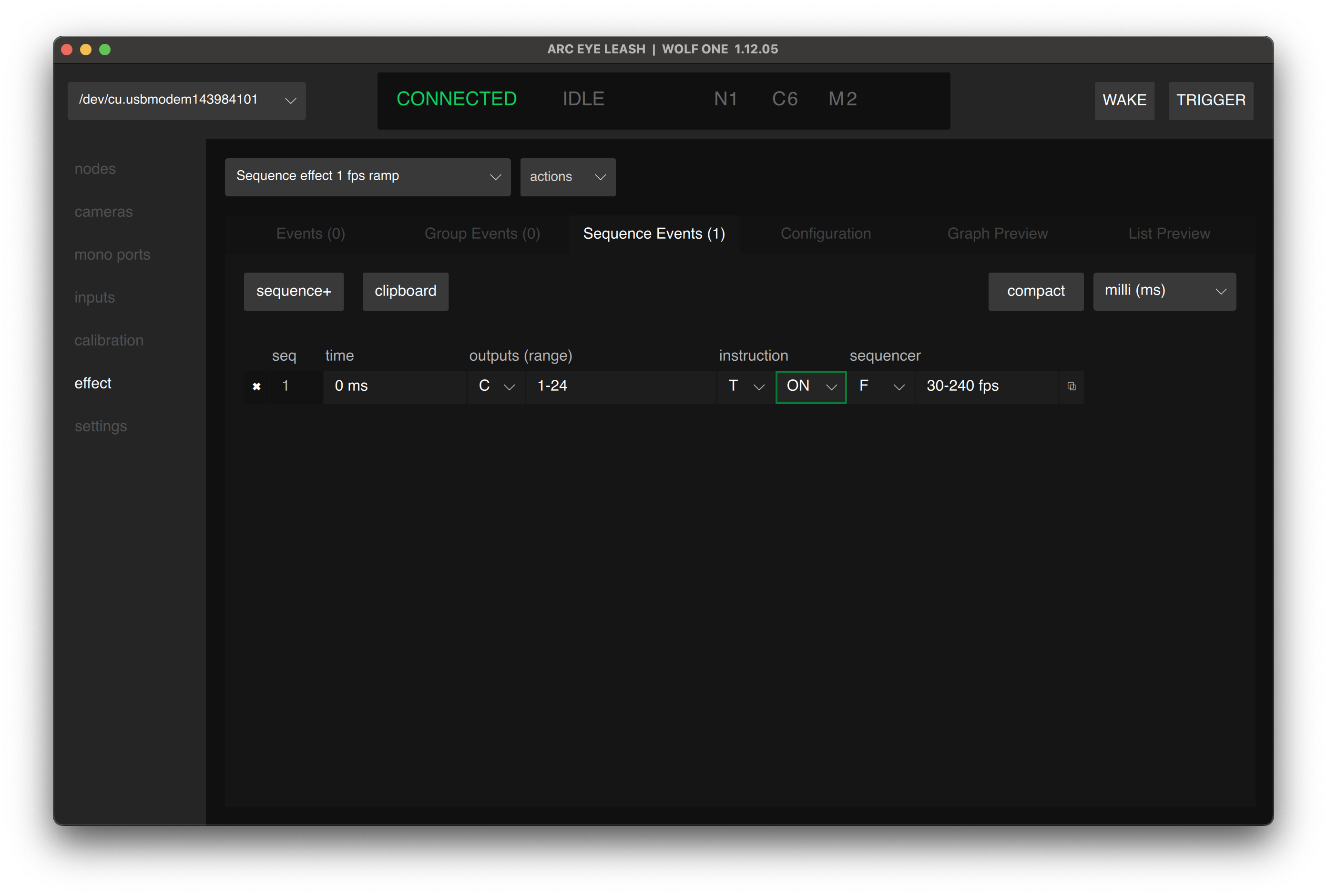
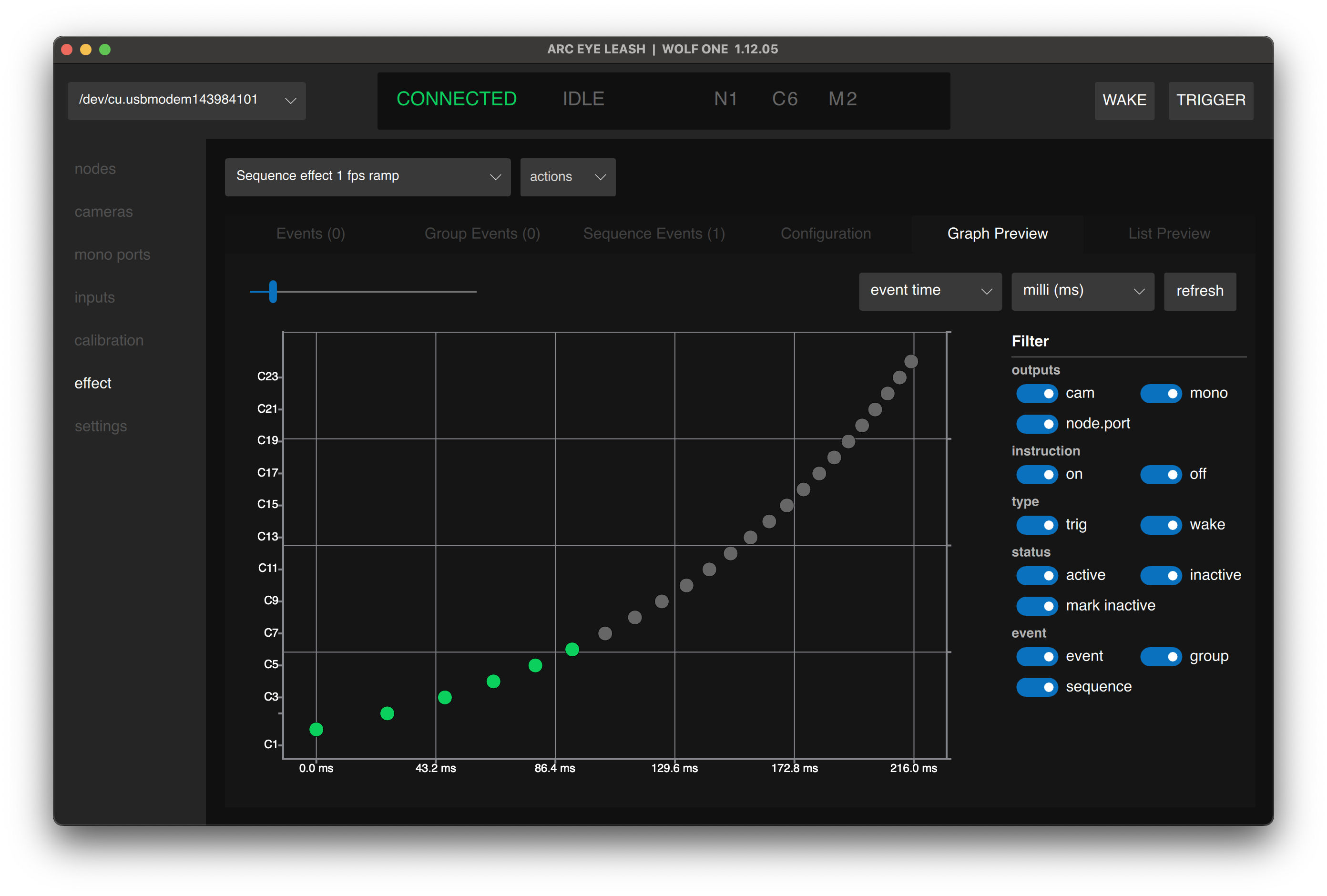
Interval and FPS sequencer types also support forward (and reverse) speed ramping. Lets speed ramp this 24 camera bullet-time rig from 30fps to 240fps so we can seamlessly transition into a high speed camera.
- Enter the following values:
| Time | Outputs | (Range) | Instruction Type | Instruction | Sequence Type | Sequence Value |
|---|---|---|---|---|---|---|
| 0 | CAMERAS | 1-24 | TRIG | ON | FPS | 30fps-240fps |
- Click Save
Sequence Event Settings
| Setting | Description |
|---|---|
| Time | When the sequence starts (first camera fires at this time) |
| Output | Camera type (C), Mono type (M) |
| Range | Port range in firing order (e.g., 1-24 or 24-1) |
| Instruction Type | T (trigger) or W (wake) |
| Instruction | ON or OFF |
| Sequence Type | Interval, FPS, Duration, or Duration (Fit) |
| Sequence Value | Time, FPS, or range value depending on type |
Port Range Formats
Cameras fire in the order specified:
| Format | Example | Firing Order |
|---|---|---|
| Forward | 1-100 | 1, 2, 3... 100 |
| Reverse | 100-1 | 100, 99, 98... 1 |
| List (ODDs) | 1, 5, 3, 7, 9 | 1, 5, 3, 7, 9 |
| Split | 1-5, 20-15 | 1, 2, 3, 4, 5, 20, 19, 18, 17, 16, 15 |
| Split (Mixed direction) | 1-5, 15-20 | 1, 2, 3, 4, 5, 15, 16, 17, 18, 19, 20 |
Sequence Types
Control how timing is calculated across your camera range.
| Type | Value | Calculation | Ranges | Range Direction |
|---|---|---|---|---|
| Interval | Time | Fixed delay between each camera | ✅ | ✅ |
| FPS | Frames/sec | Interval = 1000ms / FPS | ✅ | ✅ |
| Duration | Time | Interval = Duration / Cameras | ||
| Duration (Fit) | Time | Interval = Duration / (Cameras - 1) |
Think of Duration like placing fence posts. Duration spaces 24 posts evenly within the time, leaving a gap after the last post. Duration (Fit) places the first post at the start and the last post exactly at the end. For example, 10 cameras for 1 second in Duration mode results in 100ms gaps (0-900ms), but 10 cameras for 1 second in Duration (Fit) mode results in 111.111ms gaps (0-1000ms).
Interval
Set a specific delay between each camera trigger.
| Time | Outputs | (Range) | Instruction Type | Instruction | Sequence Type | Sequence Value |
|---|---|---|---|---|---|---|
| 0 | CAMERAS | 1-24 | TRIG | ON | INTERVAL | 10ms |
Result: Camera 1 at 0ms, Camera 2 at 10ms, Camera 3 at 20ms, etc.
Interval Range
Interval supports value ranges that map to camera order for acceleration effects:
| Time | Outputs | (Range) | Instruction Type | Instruction | Sequence Type | Sequence Value |
|---|---|---|---|---|---|---|
| 0 | CAMERAS | 1-24 | TRIG | ON | INTERVAL | 10ms-100ms |
Result: Camera 1 at 0ms (10ms gap), Camera 24 at end (100ms gap). Ranges interpolate linearly.
FPS
Specify timing as frames per second.
| Time | Outputs | (Range) | Instruction Type | Instruction | Sequence Type | Sequence Value |
|---|---|---|---|---|---|---|
| 0 | CAMERAS | 1-24 | TRIG | ON | FPS | 100 |
Result: 100fps = 10ms between cameras.
FPS Range
FPS supports value ranges that map to camera order:
| Time | Outputs | (Range) | Instruction Type | Instruction | Sequence Type | Sequence Value |
|---|---|---|---|---|---|---|
| 0 | CAMERAS | 1-24 | TRIG | ON | FPS | 24-1000 |
Result: Camera 1 at 24fps, Camera 24 at 1000fps. Ranges interpolate linearly.
Duration
Divide total duration evenly across all cameras.
| Time | Outputs | (Range) | Instruction Type | Instruction | Sequence Type | Sequence Value |
|---|---|---|---|---|---|---|
| 0 | CAMERAS | 1-24 | TRIG | ON | DURATION | 1s |
Result: 1000ms / 24 cameras = 41.6ms between cameras.
Duration (Fit)
Fit cameras across the full duration. First camera fires at start, last camera fires exactly at end.
| Time | Outputs | (Range) | Instruction Type | Instruction | Sequence Type | Sequence Value |
|---|---|---|---|---|---|---|
| 0 | CAMERAS | 1-24 | TRIG | ON | DURATION (FIT) | 1s |
Result: 1000ms / 23 gaps = 43.5ms between cameras.
:::note Duration vs Duration (Fit) Duration divides by camera count, so the last camera fires before your duration ends. Duration (Fit) divides by gaps between cameras, so the last camera fires exactly at your duration. :::
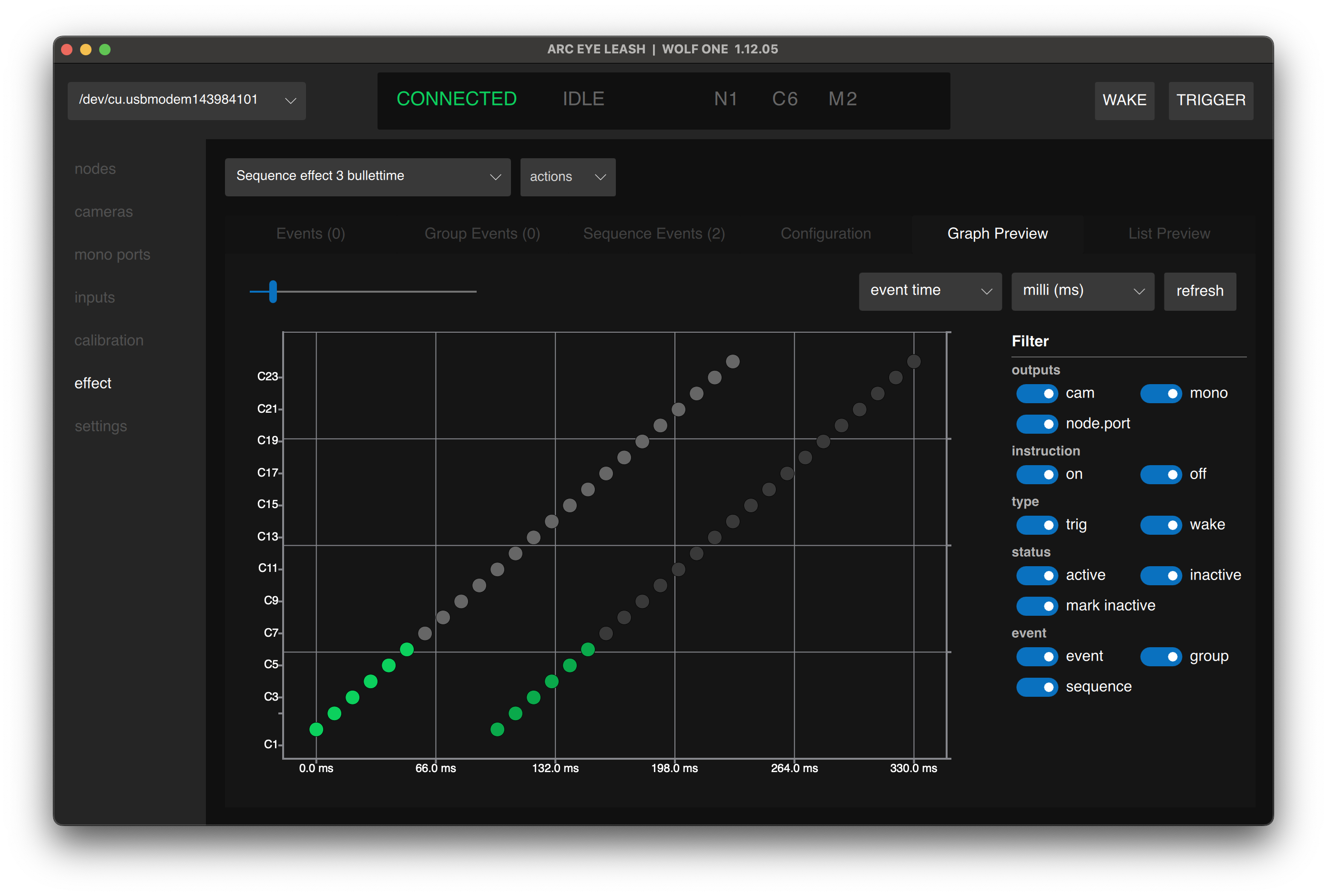
Example: Bullet Time Sweep
| Time | Output | (Range) | Instruction Type | Instruction | Sequence Type | Sequence Value |
|---|---|---|---|---|---|---|
| 0 | C | 1-24 | T | ON | INTERVAL | 10ms |
| 100ms | C | 1-24 | T | OFF | INTERVAL | 10ms |
Sweeps through cameras 1-24 with 10ms spacing and 100ms pulse duration.
Tips
- Node.port is not supported in sequence events - use port numbers only
- Reverse ranges (24-1) to change sweep direction
- Value ranges (24-1000fps) create acceleration/deceleration effects (Ramping)
- Duplicate a sequence event and offset the time to create release events
- Combine sequence events with standard events and group events freely
Next Step
Having issues? See Troubleshooting